
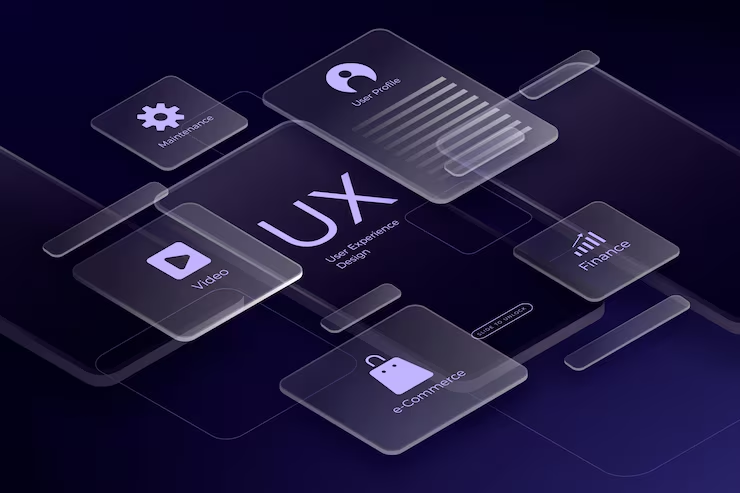
Motion and interaction design enhance user experience by using meaningful animations, transitions, and feedback to guide users through digital interfaces. Rather than being decorative, motion serves a functional purpose by clarifying actions, reinforcing outcomes, and making interactions feel natural. Well-designed motion helps users understand how a system works and builds a sense of responsiveness and control.
The course introduces core interaction design principles that define how users interact with digital elements such as buttons, forms, menus, and gestures. These principles focus on predictability, feedback, and consistency, ensuring that users always understand what actions are possible and what will happen next. Strong interaction design reduces errors and increases confidence while using a product.
Microinteractions play a key role in improving usability and delighting users. Small animations and visual cues for actions like clicks, swipes, loading states, and confirmations provide instant feedback. These subtle details reassure users that their actions have been recognized and make interfaces feel polished and alive.
Motion design is also used to communicate system status and transitions between states. Smooth animations help explain changes in content, navigation, or layout without overwhelming users. By visually connecting related elements, motion reduces confusion and creates a seamless flow between screens and tasks.
Gesture-based interactions are explored as an essential part of modern touch-based and mobile experiences. Swipes, pinches, drags, and long-press gestures allow users to interact in a more intuitive and direct way. Thoughtfully designed gestures reduce on-screen clutter and create more immersive interactions.
Accessibility in motion design is emphasized to ensure animations do not cause discomfort or exclude users. Designers learn to respect user preferences, reduce excessive motion, and provide alternatives when needed. Balancing motion with accessibility ensures experiences are inclusive while still being engaging.
Performance optimization is critical to effective motion and interaction design. Animations must run smoothly across devices and platforms without causing lag or draining resources. Optimized motion enhances perceived performance and maintains a high-quality user experience.
Design tools and workflows are introduced to support efficient motion design implementation. Prototyping tools, design systems, and collaboration practices help designers and developers translate motion concepts into production-ready experiences. Clear workflows ensure consistency and scalability.
Overall, this topic prepares learners to create engaging, responsive, and user-friendly interactive experiences. By combining thoughtful motion with strong interaction design principles, designers can build interfaces that are intuitive, accessible, and emotionally engaging.
The course introduces core interaction design principles that define how users interact with digital elements such as buttons, forms, menus, and gestures. These principles focus on predictability, feedback, and consistency, ensuring that users always understand what actions are possible and what will happen next. Strong interaction design reduces errors and increases confidence while using a product.
Microinteractions play a key role in improving usability and delighting users. Small animations and visual cues for actions like clicks, swipes, loading states, and confirmations provide instant feedback. These subtle details reassure users that their actions have been recognized and make interfaces feel polished and alive.
Motion design is also used to communicate system status and transitions between states. Smooth animations help explain changes in content, navigation, or layout without overwhelming users. By visually connecting related elements, motion reduces confusion and creates a seamless flow between screens and tasks.
Gesture-based interactions are explored as an essential part of modern touch-based and mobile experiences. Swipes, pinches, drags, and long-press gestures allow users to interact in a more intuitive and direct way. Thoughtfully designed gestures reduce on-screen clutter and create more immersive interactions.
Accessibility in motion design is emphasized to ensure animations do not cause discomfort or exclude users. Designers learn to respect user preferences, reduce excessive motion, and provide alternatives when needed. Balancing motion with accessibility ensures experiences are inclusive while still being engaging.
Performance optimization is critical to effective motion and interaction design. Animations must run smoothly across devices and platforms without causing lag or draining resources. Optimized motion enhances perceived performance and maintains a high-quality user experience.
Design tools and workflows are introduced to support efficient motion design implementation. Prototyping tools, design systems, and collaboration practices help designers and developers translate motion concepts into production-ready experiences. Clear workflows ensure consistency and scalability.
Overall, this topic prepares learners to create engaging, responsive, and user-friendly interactive experiences. By combining thoughtful motion with strong interaction design principles, designers can build interfaces that are intuitive, accessible, and emotionally engaging.