
Web Accessibility: Building Inclusive Digital Experiences for Everyone
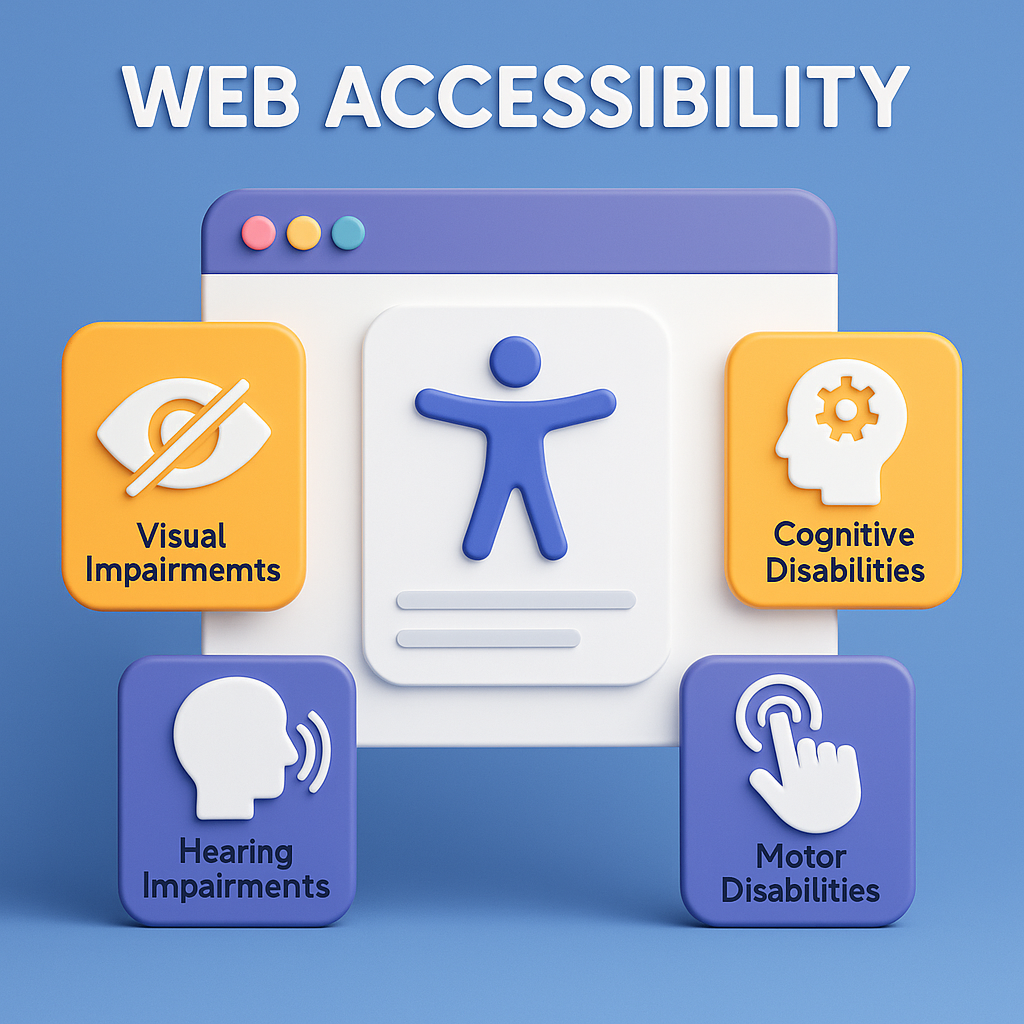
Web Accessibility is the foundation of designing and developing digital experiences that can be used by everyone, including people with disabilities, impairments, or limitations. In today’s world, the web is not merely an information resource—it is the backbone of communication, business, education, government, payments, entertainment, and social interaction. When websites and applications are not accessible, millions of people face barriers that prevent them from accessing essential services and opportunities. Web accessibility ensures equal access to digital products for people with visual, auditory, motor, cognitive, and neurological disabilities. But beyond legal compliance and ethical responsibility, accessibility also enhances usability, improves SEO, boosts performance, and increases audience reach. At its core, Web Accessibility is about designing for diversity, reducing barriers, and creating inclusive technology that works for every user regardless of ability, device, or environment.
The concept of Web Accessibility is defined primarily by the Web Content Accessibility Guidelines (WCAG), developed by the World Wide Web Consortium (W3C). WCAG offers a structured framework for ensuring inclusivity based on four key principles called POUR: Perceivable, Operable, Understandable, and Robust. These principles ensure that content is visible and readable (Perceivable), easy to navigate (Operable), logically presented (Understandable), and compatible across platforms and assistive technologies (Robust). The purpose of accessibility is not to create a separate version of the site for people with disabilities, but to build the web in a way that naturally supports diversity. Assistive technologies such as screen readers, screen magnifiers, switch devices, voice recognition tools, and alternative input devices rely on well-structured, semantic, and properly coded content to deliver a consistent experience.
Why Web Accessibility Matters
Web accessibility matters for several reasons: ethical, legal, business, and user experience. Ethically, making the web accessible aligns with the principle of inclusivity. The digital world should provide equal opportunity to all, regardless of disability or limitations. Legally, many countries have introduced strict regulations to enforce accessibility compliance. For example, the Americans with Disabilities Act (ADA), the Accessibility for Ontarians with Disabilities Act (AODA), Europe's EN 301 549 standards, and global WCAG-based legislation require websites, government portals, and digital services to be accessible. Non-compliance can result in lawsuits, fines, and reputational damage. From a business perspective, accessible websites reach a broader audience, including the 1+ billion people worldwide living with disabilities. Accessibility improves SEO—search engines favor semantic HTML, transcripts, clean structure, and optimized content. It also boosts website performance by encouraging best practices such as fast loading, high contrast, mobile-friendly layouts, and keyboard navigation. Most importantly, accessibility improves usability for everyone. People using mobile phones in bright sunlight benefit from high contrast. Users with slow internet benefit from optimized media. People multitasking or in noisy environments rely on captions. Accessibility is good design—universal design.
Key Principles of Web Accessibility (POUR Framework)
1. Perceivable
Information must be presented in ways users can perceive. This includes providing text alternatives for non-text content such as images, icons, and buttons. Alt text allows screen readers to describe visual elements. Time-based media like videos must include captions, transcripts, and audio descriptions. Content must be adaptable—meaning it should work on small screens, large screens, zoomed views, and different display orientations. Designers must ensure sufficient color contrast between text and backgrounds to improve readability. Users should be able to enlarge text without losing content or functionality. Perceivability ensures no fundamental information is hidden from people with visual or auditory limitations.
2. Operable
Users must be able to operate and interact with the interface. This includes making everything accessible via keyboard navigation without requiring a mouse. For users with motor or mobility disabilities, keyboard-only access is essential. Designers must provide clear focus indicators so users can see which element is active. Navigation should be predictable and consistent across pages. Gestures requiring multiple inputs (like pinch-zoom or swipes) should have alternatives. Users must have enough time to read and interact with content. Avoid flashing or flickering content that may trigger seizures. Operability ensures users can control the interface safely and easily.
3. Understandable
Content and interface behavior must be simple, predictable, and easy to understand. This includes using clear and consistent language, avoiding unnecessary jargon, and providing helpful error messages. Form inputs must have labels, instructions, and validation feedback. Navigation menus should follow consistent patterns. Interactive elements should behave in predictable ways. Users with cognitive or learning disabilities rely heavily on structure, clarity, and familiarity. Understandability also applies to language—interfaces should avoid long, complex sentences and provide summaries or visuals when needed.
4. Robust
Content must be robust enough to work with current and future technologies, including assistive devices such as screen readers, braille displays, voice controls, and alternative input hardware. This requires semantic HTML, proper ARIA roles, valid markup, and avoidance of inaccessible dynamic components. The goal is to future-proof content so that users always have the tools to interpret it.
Assistive Technologies and How They Interact with Accessible Websites
People with disabilities often rely on assistive technologies (AT) to navigate digital content. Screen readers like NVDA, JAWS, and VoiceOver interpret HTML structure and read content aloud. Keyboard navigation allows users to move through content using Tab, Enter, and Arrow keys. Alternative input devices—switch controls, joysticks, adaptive keyboards—require predictable layouts and large clickable areas. For low-vision or color-blind users, screen magnifiers and color correction tools rely on proper color contrast and text clarity. Captioning tools benefit auditory-disabled users. Voice assistants help users with mobility issues interact with digital interfaces. Accessible websites are designed to be friendly to these tools by providing semantic markup, ARIA attributes, labels, headings, and structured content.
Core Techniques of Building Accessible Web Interfaces
To implement accessibility effectively, designers and developers follow several core techniques:
1)Semantic HTML: Using proper tags like <header>, <article>, <nav>, <button>, and <main> gives structure and meaning to content. Screen readers rely heavily on semantic markup.
2)Alternative Text for Images: Every image must have descriptive alt text except decorative images, which should have empty alt attributes to be ignored by assistive technologies.
3)Keyboard Navigation Support: All interactive elements must be operable via keyboard alone. This includes links, buttons, menus, forms, and modals.
4)Focus Indicators: Visible outlines or highlights show which element is currently focused during keyboard navigation.
5)High Color Contrast: WCAG recommends at least 4.5:1 contrast ratio for text and 3:1 for large text and UI components.
6)Responsive Design: Accessibility also means adapting to different screen sizes and ensuring readability at 200% zoom.
7)Captions & Transcriptions: Videos require captions, and audio content requires transcripts for deaf and hard-of-hearing users.
8)ARIA Landmarks: ARIA roles provide additional context when semantic HTML is insufficient, helping screen readers interpret complex widgets.
9)Accessible Forms: Labels, placeholders, fieldsets, and error messages help users understand and complete forms successfully.
10)Avoiding Auto-Play & Flashing Content: Auto-playing media can cause sensory overload, while flashing content may induce seizures.
Benefits of Web Accessibility
Accessible design benefits everyone—not just people with disabilities. Clean code improves search engine indexing. Structured navigation boosts usability. High contrast improves readability in sunlight. Captions help non-native language speakers. Keyboard navigation benefits power users. Fast-loading pages help people on slow networks. Accessibility also enables companies to enter new markets previously underserved due to digital barriers.
Common Accessibility Testing Methods
1)Testing accessibility is a crucial step and includes:
2)Automated Testing Tools: Axe, Lighthouse, WAVE
3)Screen Reader Testing: NVDA, VoiceOver
4)Keyboard Navigation Testing: Ensuring every element is accessible
5)Color Contrast Testing: Using tools like Contrast Checker
6)User Testing with People with Disabilities: The most accurate form of testing
7)Manual Code Reviews: Ensuring semantic HTML and ARIA compliance
Web Accessibility is the foundation of designing and developing digital experiences that can be used by everyone, including people with disabilities, impairments, or limitations. In today’s world, the web is not merely an information resource—it is the backbone of communication, business, education, government, payments, entertainment, and social interaction. When websites and applications are not accessible, millions of people face barriers that prevent them from accessing essential services and opportunities. Web accessibility ensures equal access to digital products for people with visual, auditory, motor, cognitive, and neurological disabilities. But beyond legal compliance and ethical responsibility, accessibility also enhances usability, improves SEO, boosts performance, and increases audience reach. At its core, Web Accessibility is about designing for diversity, reducing barriers, and creating inclusive technology that works for every user regardless of ability, device, or environment.
The concept of Web Accessibility is defined primarily by the Web Content Accessibility Guidelines (WCAG), developed by the World Wide Web Consortium (W3C). WCAG offers a structured framework for ensuring inclusivity based on four key principles called POUR: Perceivable, Operable, Understandable, and Robust. These principles ensure that content is visible and readable (Perceivable), easy to navigate (Operable), logically presented (Understandable), and compatible across platforms and assistive technologies (Robust). The purpose of accessibility is not to create a separate version of the site for people with disabilities, but to build the web in a way that naturally supports diversity. Assistive technologies such as screen readers, screen magnifiers, switch devices, voice recognition tools, and alternative input devices rely on well-structured, semantic, and properly coded content to deliver a consistent experience.
Why Web Accessibility Matters
Web accessibility matters for several reasons: ethical, legal, business, and user experience. Ethically, making the web accessible aligns with the principle of inclusivity. The digital world should provide equal opportunity to all, regardless of disability or limitations. Legally, many countries have introduced strict regulations to enforce accessibility compliance. For example, the Americans with Disabilities Act (ADA), the Accessibility for Ontarians with Disabilities Act (AODA), Europe's EN 301 549 standards, and global WCAG-based legislation require websites, government portals, and digital services to be accessible. Non-compliance can result in lawsuits, fines, and reputational damage. From a business perspective, accessible websites reach a broader audience, including the 1+ billion people worldwide living with disabilities. Accessibility improves SEO—search engines favor semantic HTML, transcripts, clean structure, and optimized content. It also boosts website performance by encouraging best practices such as fast loading, high contrast, mobile-friendly layouts, and keyboard navigation. Most importantly, accessibility improves usability for everyone. People using mobile phones in bright sunlight benefit from high contrast. Users with slow internet benefit from optimized media. People multitasking or in noisy environments rely on captions. Accessibility is good design—universal design.
Key Principles of Web Accessibility (POUR Framework)
1. Perceivable
Information must be presented in ways users can perceive. This includes providing text alternatives for non-text content such as images, icons, and buttons. Alt text allows screen readers to describe visual elements. Time-based media like videos must include captions, transcripts, and audio descriptions. Content must be adaptable—meaning it should work on small screens, large screens, zoomed views, and different display orientations. Designers must ensure sufficient color contrast between text and backgrounds to improve readability. Users should be able to enlarge text without losing content or functionality. Perceivability ensures no fundamental information is hidden from people with visual or auditory limitations.
2. Operable
Users must be able to operate and interact with the interface. This includes making everything accessible via keyboard navigation without requiring a mouse. For users with motor or mobility disabilities, keyboard-only access is essential. Designers must provide clear focus indicators so users can see which element is active. Navigation should be predictable and consistent across pages. Gestures requiring multiple inputs (like pinch-zoom or swipes) should have alternatives. Users must have enough time to read and interact with content. Avoid flashing or flickering content that may trigger seizures. Operability ensures users can control the interface safely and easily.
3. Understandable
Content and interface behavior must be simple, predictable, and easy to understand. This includes using clear and consistent language, avoiding unnecessary jargon, and providing helpful error messages. Form inputs must have labels, instructions, and validation feedback. Navigation menus should follow consistent patterns. Interactive elements should behave in predictable ways. Users with cognitive or learning disabilities rely heavily on structure, clarity, and familiarity. Understandability also applies to language—interfaces should avoid long, complex sentences and provide summaries or visuals when needed.
4. Robust
Content must be robust enough to work with current and future technologies, including assistive devices such as screen readers, braille displays, voice controls, and alternative input hardware. This requires semantic HTML, proper ARIA roles, valid markup, and avoidance of inaccessible dynamic components. The goal is to future-proof content so that users always have the tools to interpret it.
Assistive Technologies and How They Interact with Accessible Websites
People with disabilities often rely on assistive technologies (AT) to navigate digital content. Screen readers like NVDA, JAWS, and VoiceOver interpret HTML structure and read content aloud. Keyboard navigation allows users to move through content using Tab, Enter, and Arrow keys. Alternative input devices—switch controls, joysticks, adaptive keyboards—require predictable layouts and large clickable areas. For low-vision or color-blind users, screen magnifiers and color correction tools rely on proper color contrast and text clarity. Captioning tools benefit auditory-disabled users. Voice assistants help users with mobility issues interact with digital interfaces. Accessible websites are designed to be friendly to these tools by providing semantic markup, ARIA attributes, labels, headings, and structured content.
Core Techniques of Building Accessible Web Interfaces
To implement accessibility effectively, designers and developers follow several core techniques:
1)Semantic HTML: Using proper tags like <header>, <article>, <nav>, <button>, and <main> gives structure and meaning to content. Screen readers rely heavily on semantic markup.
2)Alternative Text for Images: Every image must have descriptive alt text except decorative images, which should have empty alt attributes to be ignored by assistive technologies.
3)Keyboard Navigation Support: All interactive elements must be operable via keyboard alone. This includes links, buttons, menus, forms, and modals.
4)Focus Indicators: Visible outlines or highlights show which element is currently focused during keyboard navigation.
5)High Color Contrast: WCAG recommends at least 4.5:1 contrast ratio for text and 3:1 for large text and UI components.
6)Responsive Design: Accessibility also means adapting to different screen sizes and ensuring readability at 200% zoom.
7)Captions & Transcriptions: Videos require captions, and audio content requires transcripts for deaf and hard-of-hearing users.
8)ARIA Landmarks: ARIA roles provide additional context when semantic HTML is insufficient, helping screen readers interpret complex widgets.
9)Accessible Forms: Labels, placeholders, fieldsets, and error messages help users understand and complete forms successfully.
10)Avoiding Auto-Play & Flashing Content: Auto-playing media can cause sensory overload, while flashing content may induce seizures.
Benefits of Web Accessibility
Accessible design benefits everyone—not just people with disabilities. Clean code improves search engine indexing. Structured navigation boosts usability. High contrast improves readability in sunlight. Captions help non-native language speakers. Keyboard navigation benefits power users. Fast-loading pages help people on slow networks. Accessibility also enables companies to enter new markets previously underserved due to digital barriers.
Common Accessibility Testing Methods
1)Testing accessibility is a crucial step and includes:
2)Automated Testing Tools: Axe, Lighthouse, WAVE
3)Screen Reader Testing: NVDA, VoiceOver
4)Keyboard Navigation Testing: Ensuring every element is accessible
5)Color Contrast Testing: Using tools like Contrast Checker
6)User Testing with People with Disabilities: The most accurate form of testing
7)Manual Code Reviews: Ensuring semantic HTML and ARIA compliance