
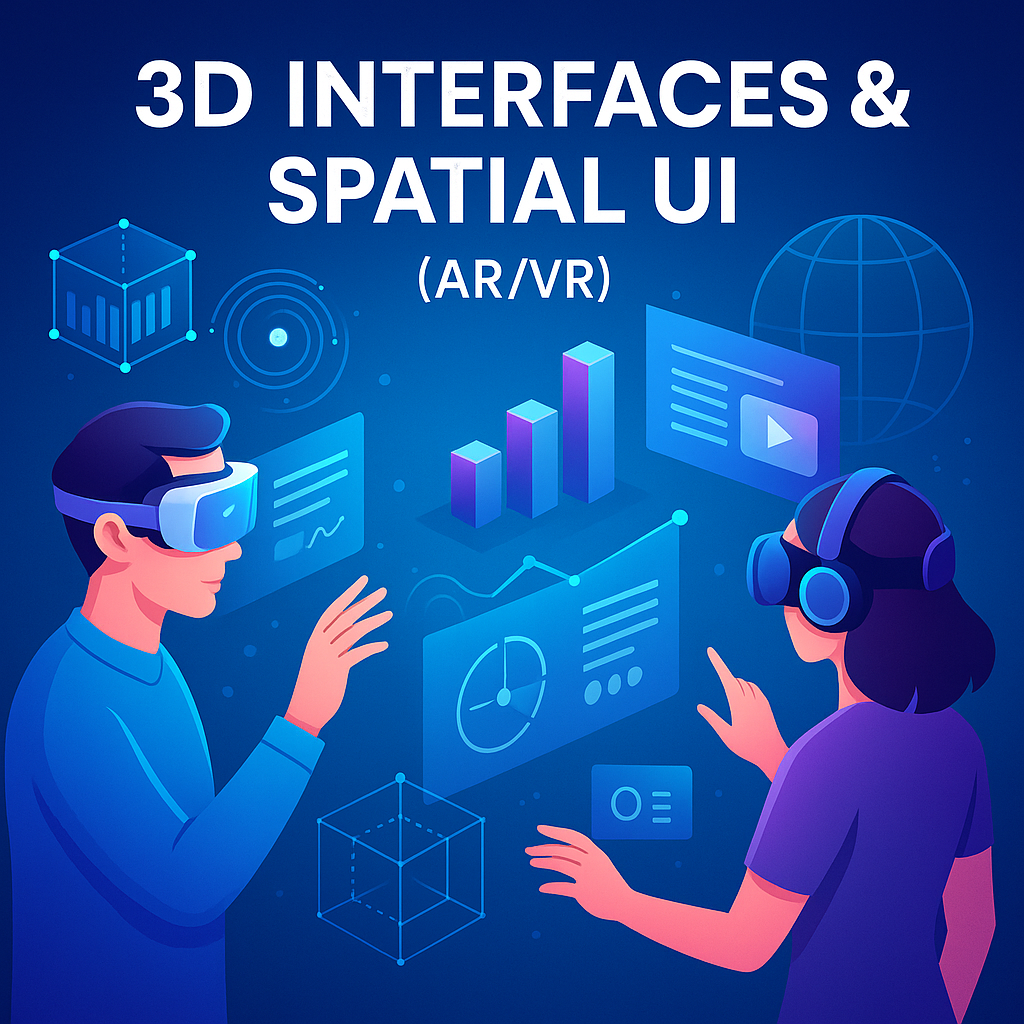
3D Interfaces and Spatial UI in AR/VR represent a major shift in how humans interact with digital experiences. Traditionally, interfaces have lived on flat screens—mobile phones, computers, tablets, and websites. But with the emergence of Augmented Reality (AR), Virtual Reality (VR), and Mixed Reality (MR), interaction is now moving into immersive 3D spaces where digital elements coexist with the physical world. Companies like Apple (Vision Pro), Meta (Quest), Microsoft (HoloLens), and Google are redefining the boundaries between digital and real environments. Spatial UI introduces depth, perspective, gestures, hand tracking, 3D motion, environment mapping, and spatial sound to create experiences that feel alive, interactive, and physically present. Instead of clicking or tapping, users can grab, rotate, walk around, and manipulate virtual objects as if they were real. This new form of interaction demands a completely different design approach rooted in spatial thinking, physics, ergonomics, depth perception, and human behavior within 3D spaces. Spatial UI is not just a trend—it is becoming the foundation of the next generation of computing.
Spatial UI challenges the fundamental assumptions of traditional 2D design. Concepts like screen boundaries, fixed layout grids, dropdown menus, or static scroll are replaced by immersive elements floating in real or virtual space. Designers must think in all three dimensions—X, Y, and Z—ensuring objects feel natural, grounded, and appropriately placed around the user. Spatial interactions rely on 6 Degrees of Freedom (6DoF), allowing users to move forward/backward, up/down, left/right, and rotate freely. Designers must consider user comfort zones, object reachability, visual hierarchy based on depth, and natural human hand-eye coordination. In spatial computing, UI is no longer confined to a flat rectangle—it becomes an environment. Elements can wrap around the user, appear behind them, or integrate seamlessly into physical space. This requires new design strategies for depth cues, spatial lighting, occlusion, scale, parallax, shadows, and spatial transitions.
Interaction in AR/VR depends on natural human inputs rather than clicks or taps. Hand tracking allows users to pinch, grab, rotate, and move objects intuitively. Gaze-based interaction uses eye tracking to highlight objects the user is looking at, reducing physical effort. Spatial gestures such as swipes in mid-air or pointing can trigger actions without controllers. Controllers in VR provide precision and haptic feedback, while spatial anchors track real-world objects to place digital objects accurately. World mapping uses sensors to detect surfaces like walls, floors, tables, and obstacles to position virtual elements realistically. Motion tracking captures head and body movement to create immersive, natural experiences. These interactions must be designed carefully—too much movement increases fatigue, too much precision causes frustration. Ideal spatial UI interactions mimic real-life behaviors: natural reach, comfortable gestures, clear affordances, and predictable responses.
3D UI elements require new design rules. Depth helps users distinguish between foreground, mid-ground, and background elements. Scale determines how large or small objects should be so they don’t overwhelm the user’s field of view. Lighting & shadows create realism and depth cues, ensuring objects feel anchored in space. Materiality determines how virtual objects react to light, transparency, surface textures, and reflections. Spatial UI objects must be readable in different lighting conditions—bright environments for AR, controlled lighting for VR. The interface must avoid clutter by spacing out elements with generous 3D margins. Text must be sized properly for visibility at different distances. Buttons and UI panels must be clickable using natural reach without arm fatigue. Designers must apply ergonomic principles so users can interact comfortably for long periods without strain.
Motion plays a powerful role in 3D interfaces because movement creates clarity, context, and realism. Spatial transitions—objects zooming in, sliding from behind, or fading in 3D—help users understand changes between states. Physics-based motion ensures objects behave naturally with gravity, momentum, and collision, making interactions feel intuitive. Haptic and spatial audio feedback reinforces actions, guiding users without needing visual cues. Spatial sound adds realism by changing volume or direction based on the user’s position. Smooth animations reduce motion sickness, while poorly executed motion can cause discomfort. Designers must optimize transitions to be responsive yet comfortable, typically within 200–500 ms. Motion in AR/VR should support the user’s mental model, never distract or confuse.
Spatial UI is reshaping industries. Gaming remains the largest AR/VR domain—allowing players to explore worlds, solve puzzles, or physically interact with digital environments. Education & training use spatial learning to simulate surgeries, engineering tasks, aircraft maintenance, or medical procedures. Healthcare uses AR to guide surgeons during operations or assist in rehabilitation therapy. Retail uses AR for try-on rooms and 3D product visualization. Interior design apps place virtual furniture in real rooms. Productivity apps create infinite digital workspaces where users can place screens, documents, and tools all around them. Industrial sectors use spatial UI for simulations, remote collaboration, and digital twins. The possibilities expand every year as devices and software improve.
While spatial UI is powerful, it comes with challenges. Poorly designed interactions or fast motion can cause dizziness or nausea. Heavy interfaces can strain the user’s neck or arms. Rendering detailed 3D environments requires high GPU performance, which may cause overheating or battery drain on mobile devices. Accessibility challenges include accommodating users with mobility limitations, visual impairments, or sensitivity to complex motion. Designers must build adaptable UI layouts, adjustable comfort settings, reduced-motion modes, and multiple interaction paths (gaze, hand, voice). Spatial UI requires careful testing to ensure experiences remain comfortable, intuitive, and inclusive for diverse users.
Spatial UI is moving toward Mixed Reality—where real and virtual elements blend seamlessly. Apple’s Vision Pro, Meta’s Quest 3, and emerging XR headsets introduce eye-tracking, hand-tracking, neural input, and real-time environment understanding. AI-driven spatial UI will soon adapt layouts automatically, generate 3D environments dynamically, and personalize interactions based on user behavior. Gesture prediction, emotional recognition, and natural voice interfaces will make AR/VR more human-like. 3D interfaces may replace 2D screens entirely in the future, giving users infinite digital workspace and full spatial creativity. The future of UX is not flat—it is spatial, immersive, intelligent, and hyper-personalized.
3D Interfaces & Spatial UI are redefining UX design at a foundational level. Designers must learn new principles, tools, and thinking patterns to build immersive spatial experiences. AR and VR are no longer futuristic concepts—they are becoming mainstream technologies shaping the next generation of apps, devices, and digital interactions. Spatial UI blends human senses, natural behavior, and digital intelligence to create experiences that feel alive and intuitive. As AR/VR devices grow more powerful and accessible, spatial design will become one of the most exciting and important skills in the UI/UX world.
Spatial UI challenges the fundamental assumptions of traditional 2D design. Concepts like screen boundaries, fixed layout grids, dropdown menus, or static scroll are replaced by immersive elements floating in real or virtual space. Designers must think in all three dimensions—X, Y, and Z—ensuring objects feel natural, grounded, and appropriately placed around the user. Spatial interactions rely on 6 Degrees of Freedom (6DoF), allowing users to move forward/backward, up/down, left/right, and rotate freely. Designers must consider user comfort zones, object reachability, visual hierarchy based on depth, and natural human hand-eye coordination. In spatial computing, UI is no longer confined to a flat rectangle—it becomes an environment. Elements can wrap around the user, appear behind them, or integrate seamlessly into physical space. This requires new design strategies for depth cues, spatial lighting, occlusion, scale, parallax, shadows, and spatial transitions.
Interaction in AR/VR depends on natural human inputs rather than clicks or taps. Hand tracking allows users to pinch, grab, rotate, and move objects intuitively. Gaze-based interaction uses eye tracking to highlight objects the user is looking at, reducing physical effort. Spatial gestures such as swipes in mid-air or pointing can trigger actions without controllers. Controllers in VR provide precision and haptic feedback, while spatial anchors track real-world objects to place digital objects accurately. World mapping uses sensors to detect surfaces like walls, floors, tables, and obstacles to position virtual elements realistically. Motion tracking captures head and body movement to create immersive, natural experiences. These interactions must be designed carefully—too much movement increases fatigue, too much precision causes frustration. Ideal spatial UI interactions mimic real-life behaviors: natural reach, comfortable gestures, clear affordances, and predictable responses.
3D UI elements require new design rules. Depth helps users distinguish between foreground, mid-ground, and background elements. Scale determines how large or small objects should be so they don’t overwhelm the user’s field of view. Lighting & shadows create realism and depth cues, ensuring objects feel anchored in space. Materiality determines how virtual objects react to light, transparency, surface textures, and reflections. Spatial UI objects must be readable in different lighting conditions—bright environments for AR, controlled lighting for VR. The interface must avoid clutter by spacing out elements with generous 3D margins. Text must be sized properly for visibility at different distances. Buttons and UI panels must be clickable using natural reach without arm fatigue. Designers must apply ergonomic principles so users can interact comfortably for long periods without strain.
Motion plays a powerful role in 3D interfaces because movement creates clarity, context, and realism. Spatial transitions—objects zooming in, sliding from behind, or fading in 3D—help users understand changes between states. Physics-based motion ensures objects behave naturally with gravity, momentum, and collision, making interactions feel intuitive. Haptic and spatial audio feedback reinforces actions, guiding users without needing visual cues. Spatial sound adds realism by changing volume or direction based on the user’s position. Smooth animations reduce motion sickness, while poorly executed motion can cause discomfort. Designers must optimize transitions to be responsive yet comfortable, typically within 200–500 ms. Motion in AR/VR should support the user’s mental model, never distract or confuse.
Spatial UI is reshaping industries. Gaming remains the largest AR/VR domain—allowing players to explore worlds, solve puzzles, or physically interact with digital environments. Education & training use spatial learning to simulate surgeries, engineering tasks, aircraft maintenance, or medical procedures. Healthcare uses AR to guide surgeons during operations or assist in rehabilitation therapy. Retail uses AR for try-on rooms and 3D product visualization. Interior design apps place virtual furniture in real rooms. Productivity apps create infinite digital workspaces where users can place screens, documents, and tools all around them. Industrial sectors use spatial UI for simulations, remote collaboration, and digital twins. The possibilities expand every year as devices and software improve.
While spatial UI is powerful, it comes with challenges. Poorly designed interactions or fast motion can cause dizziness or nausea. Heavy interfaces can strain the user’s neck or arms. Rendering detailed 3D environments requires high GPU performance, which may cause overheating or battery drain on mobile devices. Accessibility challenges include accommodating users with mobility limitations, visual impairments, or sensitivity to complex motion. Designers must build adaptable UI layouts, adjustable comfort settings, reduced-motion modes, and multiple interaction paths (gaze, hand, voice). Spatial UI requires careful testing to ensure experiences remain comfortable, intuitive, and inclusive for diverse users.
Spatial UI is moving toward Mixed Reality—where real and virtual elements blend seamlessly. Apple’s Vision Pro, Meta’s Quest 3, and emerging XR headsets introduce eye-tracking, hand-tracking, neural input, and real-time environment understanding. AI-driven spatial UI will soon adapt layouts automatically, generate 3D environments dynamically, and personalize interactions based on user behavior. Gesture prediction, emotional recognition, and natural voice interfaces will make AR/VR more human-like. 3D interfaces may replace 2D screens entirely in the future, giving users infinite digital workspace and full spatial creativity. The future of UX is not flat—it is spatial, immersive, intelligent, and hyper-personalized.
3D Interfaces & Spatial UI are redefining UX design at a foundational level. Designers must learn new principles, tools, and thinking patterns to build immersive spatial experiences. AR and VR are no longer futuristic concepts—they are becoming mainstream technologies shaping the next generation of apps, devices, and digital interactions. Spatial UI blends human senses, natural behavior, and digital intelligence to create experiences that feel alive and intuitive. As AR/VR devices grow more powerful and accessible, spatial design will become one of the most exciting and important skills in the UI/UX world.